
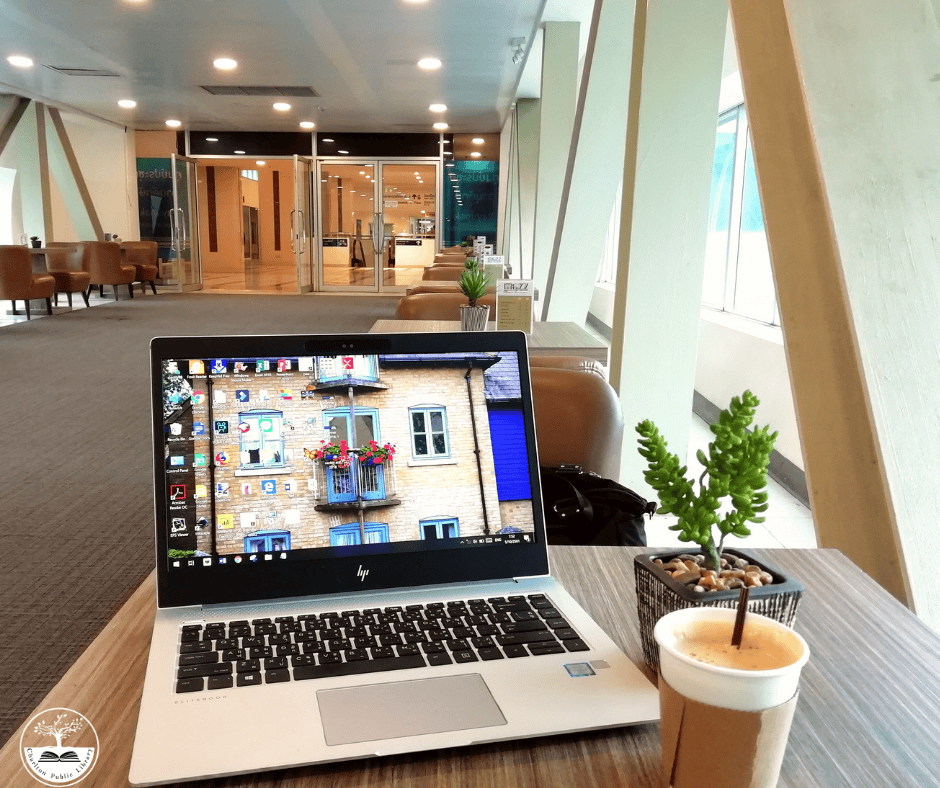
Drop-In Tech Help
Do you have a few quick questions about technology? Would you like to learn how to use apps like Libby or Kanopy? Drop in and speak with Charlton Library’s Digital Skill Instructor and get the dedicated support you need. If you will need more than 15 minutes of tech help, please make a one-on-one appointment in person at the Library, online, or by calling 508-248-0452.

One-On-One Tech Help
Do you have a more complicated question than we can cover during Drop-in Tech Help? Would you like to learn some basic email or internet skills? Make a one-on-one appointment with the Charlton Library’s Digital Skills Instructor and get 60 minutes of dedicated support. Please make a one-on-one appointment in person at the Library, online, or by calling 508-248-0452.
We cannot assist with:
- Setting up a new device
- Fixing/Restoring/Repairing a broken or infected device, app, or email account
- Entering sensitive information for you (e.g. credit card information, social security number, online banking, etc.)
- Keyboarding, typing, or proofreading documents
- Cannot provide medical, legal, and business advice or opinions
Introduction to Technology Series – Each course will be held twice for increased availability. This series was funded by the Massachusetts Broadband Institute at the MassTech Collaborative under the Municipal Digital Equity Implementation Program. Funding was provided by Massachusetts ARPA State Fiscal Recovery Funds.
I
Ancestry: Library Edition – Local History Room – Registration Required
Saturday, February 28 from 1:30-2:30 pm
Ancestry Library Edition is a free genealogy database available at the library that helps you explore your family’s past. Access billions of historical records, including census data, birth, marriage, and death records, immigration documents, and military records. Join our workshop to learn how to search records, build your family tree, and uncover the stories of your ancestors—no experience required.
Using the iPhone for Health and Emergencies – Dexter Hall – Registration Required
Friday, February 27 from 10:30-11:30 am
In this class, we explore how the iPhone can help in different emergency situations and offer insight into our health. We learn how to set up emergency contacts, use the SOS feature, turn on voice activation, and use the Health app to find patterns and changes in our physical health.
Using YouTube, Netflix, and Other Streaming Services – Dexter Hall – Registration Required
Friday, February 27 from 12:30-1:30 pm
Netflix and YouTube are among many services that allow you to “stream” movies, TV shows, and videos. They offer engaging options and offer an exciting alternative—or addition—to regular cable TV. This class teaches participants how these services work and how users can find interesting content to enjoy.
Using Notes: Your iPhone’s Built-In Notepad– Community Room- registration required
Monday, March 2 at 12:30 PM
Learn how to use the Notes app to jot down ideas, make checklists, scan documents, and keep your thoughts organized. This class covers everything from creating simple notes to sharing and collaborating with others using iCloud.
Job Applications Part 1 – Local History Room – registration required
Tuesday, March 3 at 6:00 PM OR Saturday, March 7 at 1:30 PM
Looking for a job can be overwhelming, but your library is here to help! Join us for an overview where you’ll learn how to navigate job application resources, create or improve your resume, and discover local and online tools to find employment opportunities. This session is perfect for job seekers of all experience levels and part of a job workshop series.
Cover Letters 101 – Local History Room – registration required.
Tuesday, March 10 at 6:00 PM OR Saturday, March 14 at 1:30 PM
Cover Letters 101 is a beginner-friendly workshop that walks participants through the basics of writing a clear, professional cover letter for online job applications. Attendees will learn what employers look for, such as naming protocols and preferred formats. We will also discuss how to tailor a letter to a specific job and the pros and cons of AI supported writing. This session includes practical tips, examples, and time to start drafting a cover letter usable right away.
Staying on Schedule Using Calendar and Reminders
Wednesday, March 11 at 12:30 PM – Community Meeting Room – registration required
Discover how to use the Calendar and Reminders apps to keep track of appointments, tasks, and daily routines. You’ll learn how to add events, set reminders, create lists, and even use Siri to help you stay on schedule with ease. Registration is required.
Navigating the Settings on iPhone and iPad— Dexter Hall – registration required
Friday, March 13, 10:30—11:30 AM
In this class, we explore the Settings app, examining ways to adjust our devices to suit our individual needs. We learn to access important information about our devices, update the software, and customize important features like Do Not Disturb, Face ID, and notifications.
Introduction to Instagram – Dexter Hall – registration required
Friday, March 13, 12:30—1:30 PM
Instagram is one of the world’s most popular applications for viewing and sharing photos and videos. Users can create, edit, and post their own content, as well as view posts from online content creators. This class teaches participants to navigate Instagram and share their own photos and videos with others.
Resumes 101– Local History Room – registration required.
Tuesday, March 17 at 6:00 PM OR Saturday, March 21 at 1:30 PM
Resumes 101 is a beginner-friendly workshop that introduces the basics of creating a clear, effective digital resume for online job applications. Participants will learn how to organize their information and highlight their skills and experiences. We will also explore free resume template options and proofreading programs. This session includes practical tips, examples, and time to start building or improving a resume they can use with confidence.
Setting Up and Managing Email – Community Meeting Room – Registration Required
Friday, March 20, 10:30—11:30 AM
In this class, attendees learn about the basics of email and the Apple Mail app. We explore the Mail app to learn about sending/reading emails, checking your inbox, and clearing junk and archive folders.
The Photos App on iPhone: A Deep Dive – Community Meeting Room – Registration Required
Friday, March 20, 12:30—1:30 PM
This class explores all the available features on the iPhone’s Photos app, including using Favorites and albums to organize photos, sharing photos with friends and family, and creating short compilations of photos and videos.
Getting To Know Your Android Phone – for ages 60+
Monday, March 23 at 10:30 AM – Community Meeting Room – registration required
In this class we will go over the basic features of an android smartphone and explore various settings and apps that can make your life easier! Please make sure to bring your Android smartphone with you to the workshop. This class is for people ages 60 and up. This Senior Planet from AARP class is being offered through the Senior Planet licensing program.
Job Applications Part 2 – Local History Room – registration required.
Tuesday, March 24 at 6:00 PM OR Saturday, March 28 at 1:30 PM
In this session, participants will get an overview of the job application process. Attendees will learn how to search for job openings online, tailor resumes and cover letters, and avoid common mistakes in digital interviews. This session includes helpful tips, resources, and guidance to support successful job applications.
Taking & Organizing Photos – Dexter Hall – registration required
Friday, March 27, 10:30—11:30 AM
In this class, we dive into the Camera app on the iPhone, exploring different features of the camera and adjustments that can be made for taking pictures in different settings. We also go into Photos and discuss organizing photos into Favorites and Albums.
Introduction to Editing Photos on the iPhone-Dexter Hall – registration required
Friday, March 27, 12:30—1:30 PM
This class explores the features available in the iPhone for editing photos. We discuss different ways to organize our photos, then select a photo to practice editing with. We learn about filters, adjusting colors and lighting, and cropping/resizing our photos.
Intro to Zoom – Local History Room – registration required
Tuesday, March 31 at 6:00 PM OR Saturday, April 4 at 1:30 PM
This hands-on workshop is designed to help job seekers feel confident using Zoom for virtual job interviews. Participants will learn how to join and schedule a Zoom meeting, test audio and video, adjust camera and microphone settings, and use basic tools such as mute/unmute, chat, and screen view options. The session will also cover best practices for professional appearance, lighting, and interview etiquette on Zoom. No prior experience is required—this workshop is ideal for anyone preparing for an online job interview.
This project was funded by the Massachusetts Broadband Institute at the MassTech Collaborative under the Municipal Digital Equity Implementation Program. Funding was provided by Massachusetts ARPA State Fiscal Recovery Funds.
